

- Auto reconnect when server crash and on an update that doesn't require client update
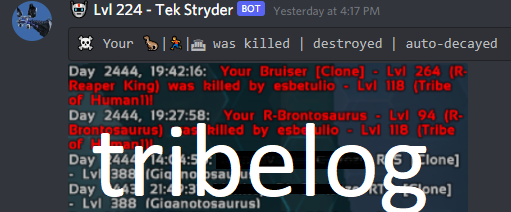
- Send a cropped picture of tribe log to your tribe discord via webhook on new events
- Send a cropped picture of chat log upon new messages in chat log
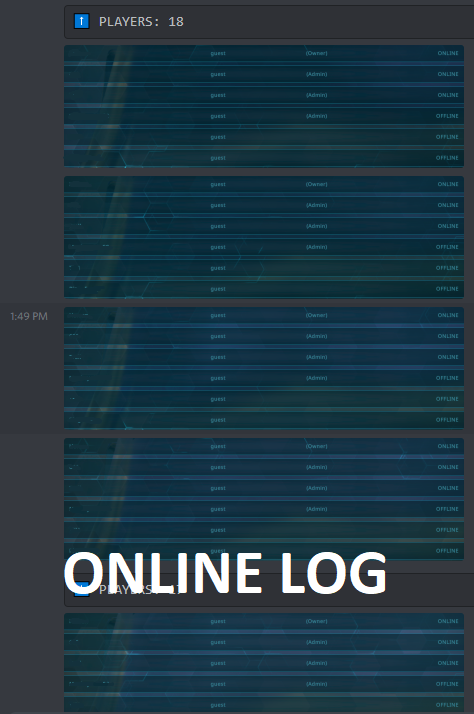
- Send a cropped picture of tribe members inside tribe window (L) to check their online/offline status every # minutes
- Send a full screenshot every # minutes to keep your eye on the bot screen
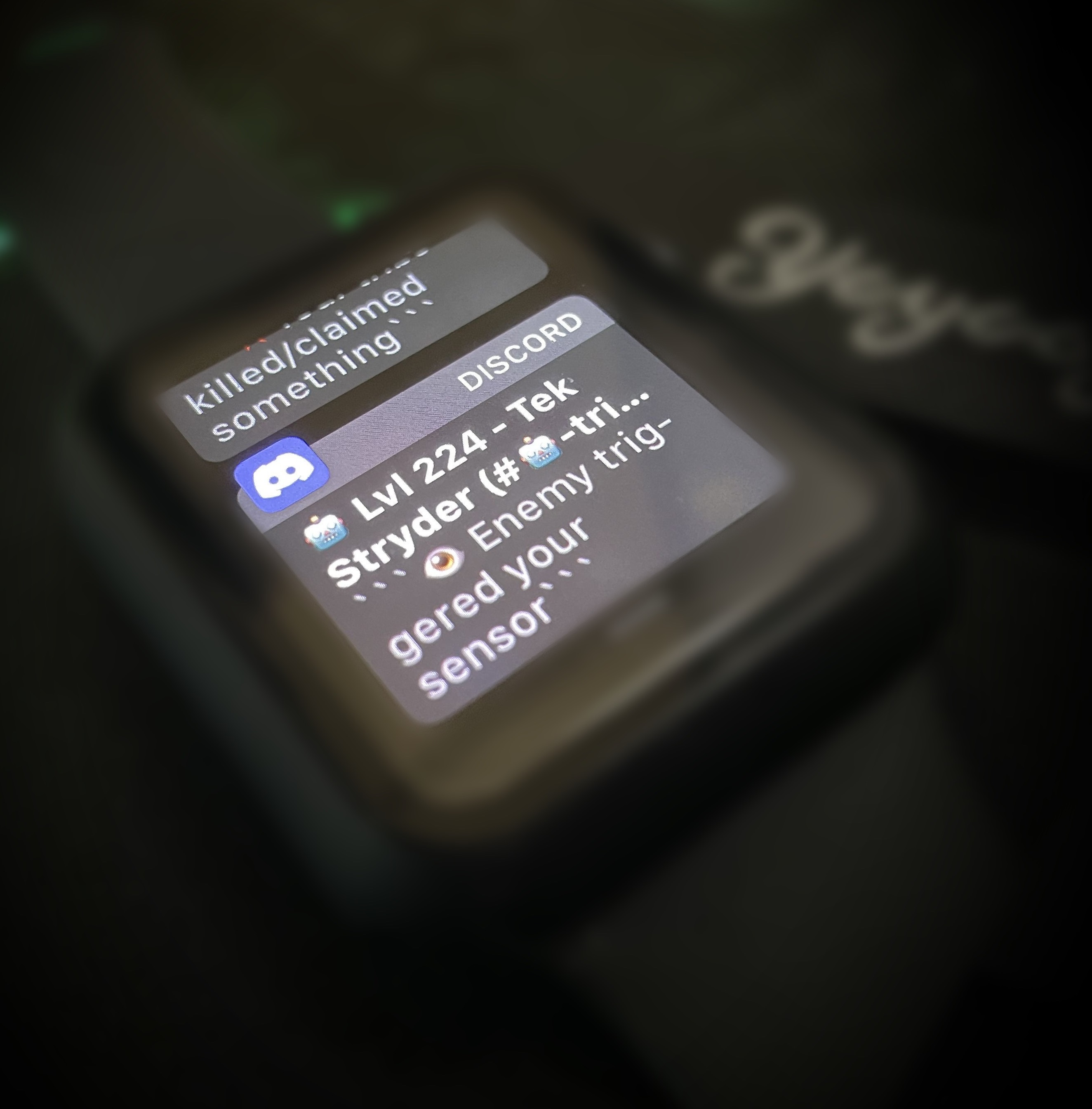
- Send a full screenshot on parasaur alert and play a song of your choice to the voice channel
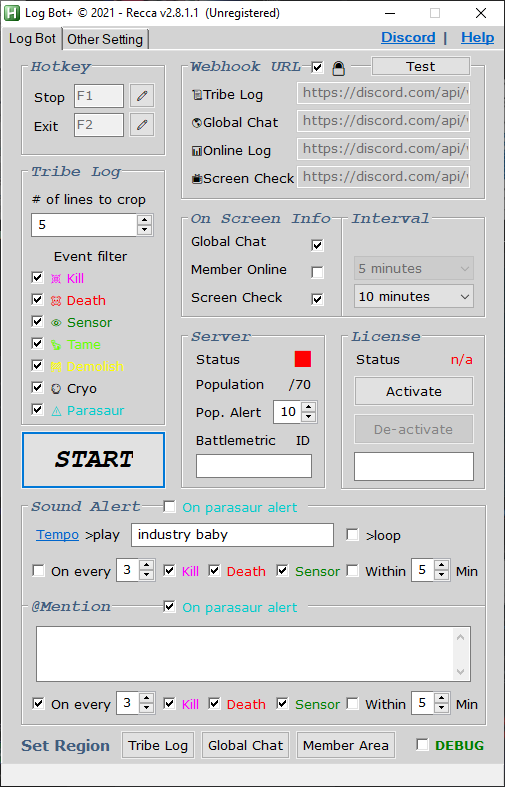
- Play a song to voice channel when the number of new events go above the threshold or if the number of new events go above the threshold WITHIN the set timeframe
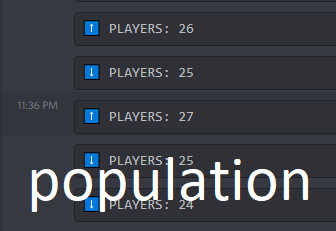
- Track server's population when it goes past the set threshold
- Talk on global chat & tribe chat from Discord
These features can be turn off
- You can download the bot here in my Discord Server
- Discord Server: https://discord.gg/zfRndj5Rn5
- Youtube Video Demonstration: https://youtu.be/2yn08eq7O90
- Youtube 2 Minutes Setup Guide: https://youtu.be/Vi7PxXmVmQU
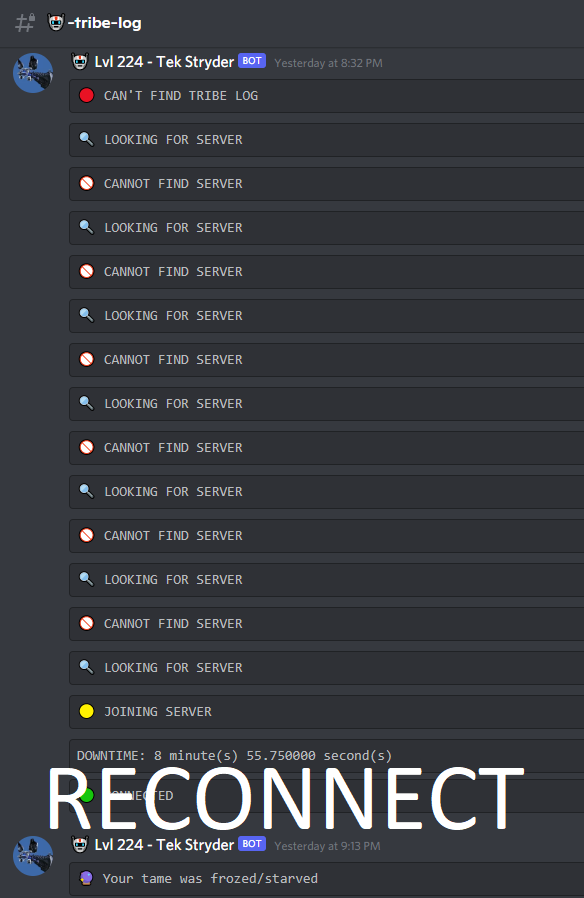
- Youtube Reconnect feature setup: https://youtu.be/9vxkLaE4Be4
- LogBot+ NodeJS Dicord Bot source code: https://github.com/thanhn062/LogBotPlus-Documentation/tree/main/LogBot%2B%20NodeJS


- LogBotPlus.rar
- logbotplus.png
- Splash image
- setting.ini
- Data
- Autohotkey.exe
- Official Autohotkey.exe from autohotkey installer
- Autohotkey.ahk
- LogBot+ 2.8.1.ahk (encrypted)
- logbotplus.png
https://www.youtube.com/watch?v=-r1KkZ8gDFA&ab_channel=JoeGlines-AutoHotkeyGuru
- You're more than welcome to look up Joe Glines on google if you have any questions about his credibility.
- Set up the text channels, here are some that I made for my tribe discord
- ⎣📜⎤ᴛʀɪʙᴇ ʟᴏɢ
- ⎣🌎⎤ɢʟᴏʙᴀʟ ᴄʜᴀᴛ
- ⎣📊⎤ᴏɴʟɪɴᴇ ʟᴏɢ
- ⎣📺⎤ꜱᴄʀᴇᴇɴ ᴄʜᴇᴄᴋ
- ⎣📖⎤ʙᴏᴏᴋᴍᴀʀᴋ
- copy message/media link from other text channels and paste it here to bookmark an important message
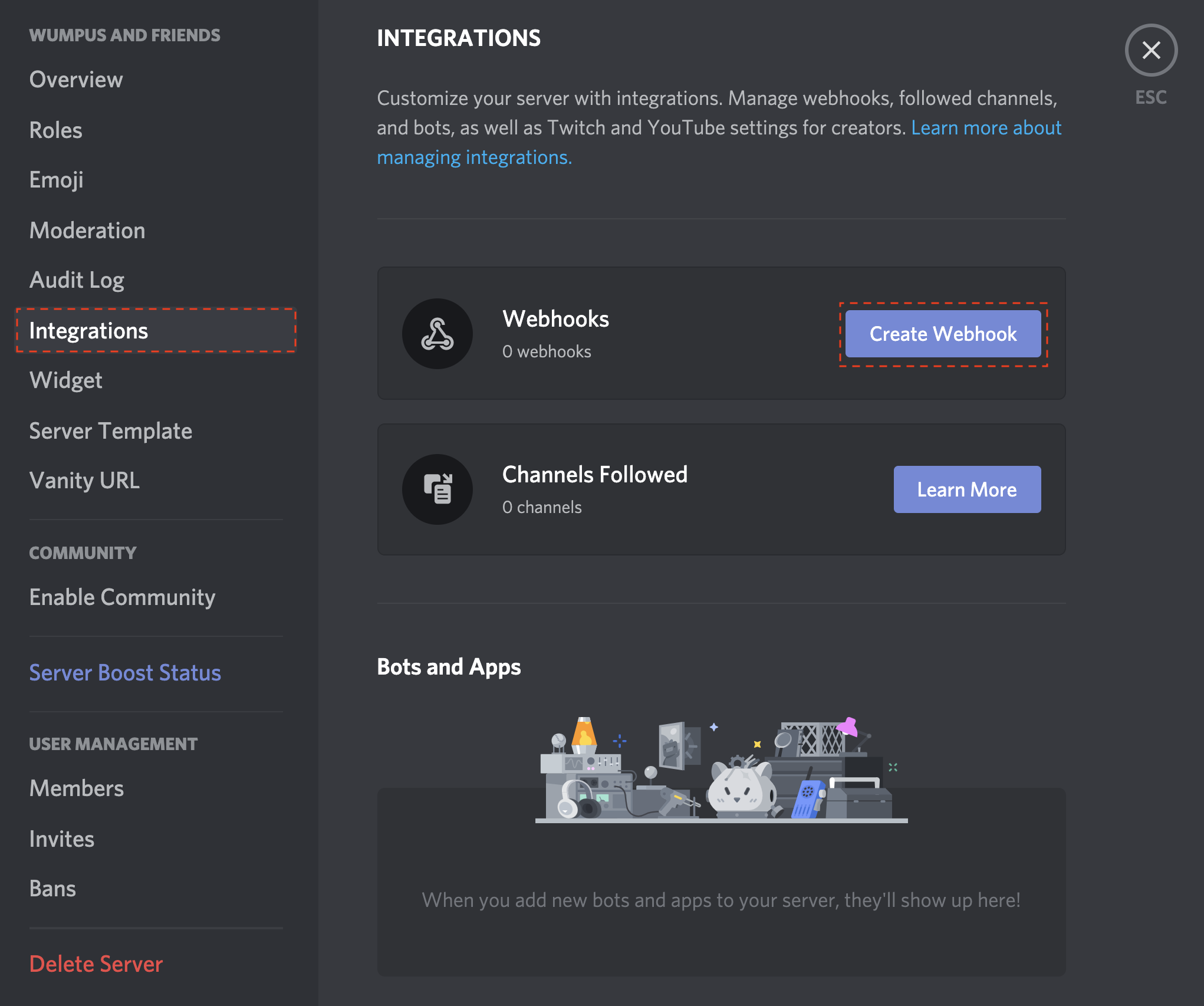
- Now go into Server's Setting > Integrations > Create Webhook and set up webhook for the #text-channels
- Copy and paste them into the script GUI
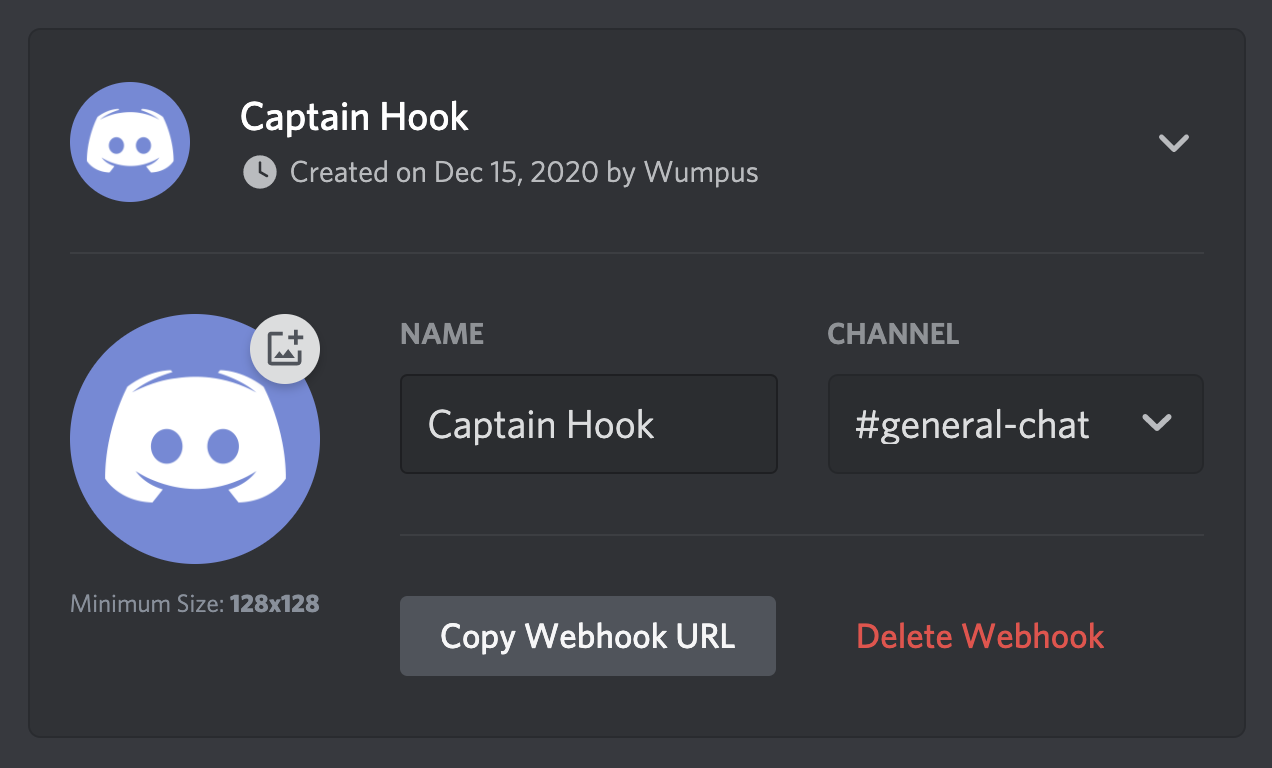

- Click "Test" to make sure the webhook is valid, and then lock it to prevent unintended changes
- If the messages were sent successfully, click START.
- The bot will run the game and log into the game if it can't find Ark client and will automatically connect to the game for you from menu screen
| Setting | Note |
|---|---|
| Tribe Log - Event to send | Uncheck any event that you would like to NOT get notify Other insignificant events that are not recognized by the bot will appear as cryo event (i.e. Member add, member promote, tribe destroy, etc.. .You may uncheck it if all you need are Red(death/destroyed), Green(sensor), and Purple(kill) alert ) |
| Global Chat | Send a cropped picture of chat log upon new activities (exclude tribe member message) |
| Online Log | Send a cropped picture of members inside tribe log every # minute |
| Screen Check | Send a full screenshot every # minutes to check the bot screen |
| Sound Alert | You need to invite Tempo bot into your channel for this feature For this feature, the bot will switch to discord window and type to start looping a song in the voice channel the discord bot is currently in so make sure you joined the voice channel before starting the bot and do not close the window to task tray On parasaur alert - play a song on parasaur alert On every # events - play a song when the sum of new events of kill, death, sensor go past the threshold Within # minutes - play a song when the sum of new events of kill, death, sensor go past threshold WITHIN the time frame |
| Server | Track server's online status and population Adjust it to 0 to disable |
| @Mention | Conditional @mention users and roles with similiar setting to Sound Alert |
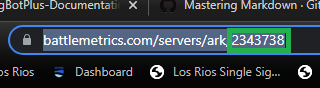
- How To Get Your Server's ID On Battlemetric
- Google your server name + battlemetric at the end for example
- "smalltribes14 battlemetric"
- Click the first link and this will be your Battlemetric server's ID, paste it into the client
- How To Get Roles ID & user ID for @mention feature
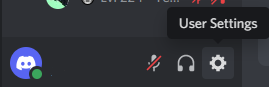
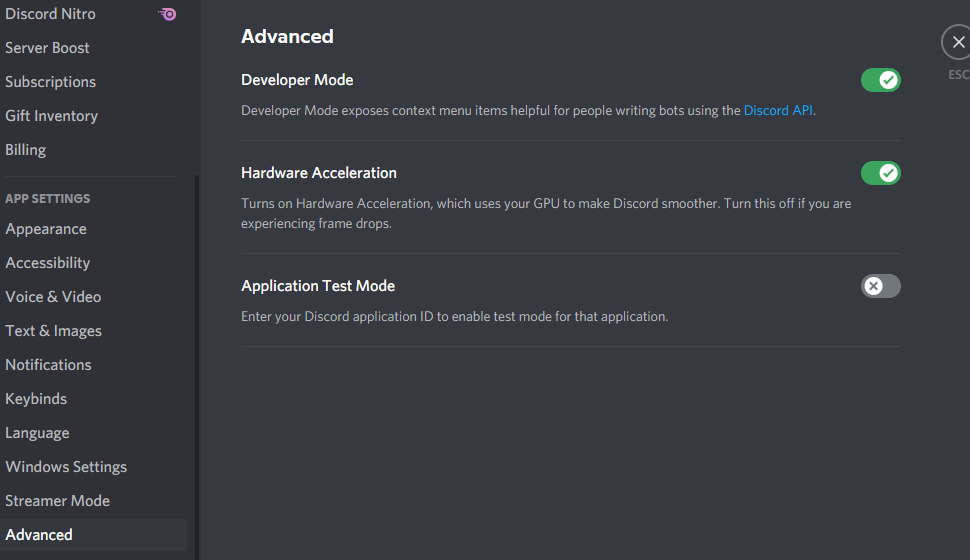
Turn on Developer mode by going into User Setting
Go to Advanced and turn on Developer Mode
Right click on the user you want to mention and click Copy ID then paste it into the bot user interface
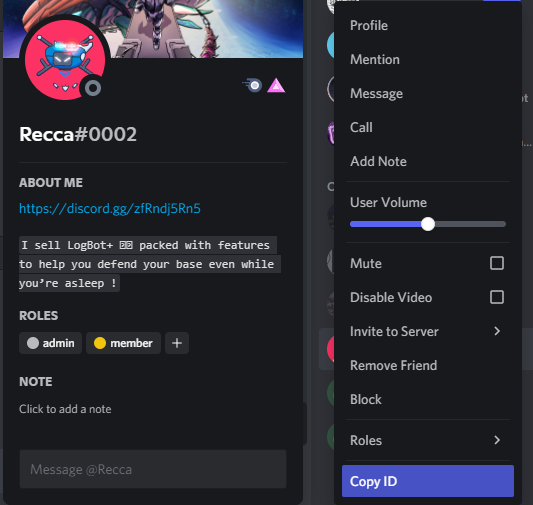
For @role you need to type in \@<role name> and copy the number + the ampersand(&) and then paste it into the bot user interface
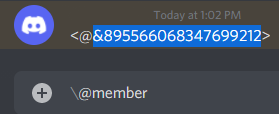
@mention IDs must be separate by commas (,)
| Setting | Note |
|---|---|
| Log Bot+ NodeJS Discord Path | Path to folder of Log Bot+ Discord bot |
| Reconnect UI Data (powered by FeiYue FindText) | capture and contain text pattern data for ark user interface |
| Event Color n Shades | To define event colors and it's variant for script to search |
- Must be in Fullscreen Window mode
- Set the default fps to 15 to reduce the stress on your device https://steamcommunity.com/sharedfiles/filedetails/?id=786486980
- Optimize the discord client to not display image attachment
- Set all graphics on low
- Use a survivor with Tek Pod unlocked
- Set gamma to default by typing "gamma" into console, so it wouldn't confuse the bot
- If you want to run it on a different device, deregister on the old device and register on the new device
- Set up TeamViewer on the bot device and make a text channel with the teamview login info so anyone in your tribe can restart the bot if anything happens
- If your bot is stuck on menu screen on disconnect, try to run as admin
- Population track feature usually have a 10 minutes delay due to battlemetric API limit
- Mute Tempo bot while you're online and unmute when you're AFK or sleep
- Customize your own discord message in setting.ini
Why is global chat keep getting the same message constantly ?
- Turn on chat auto-hide if you have it disabled
Why is the bot keep sending the same events to tribe log constantly ?
- Try to increase the shades of the event color, this is happen because your resolution is too low and letters are blurred making it hard for the script to detect
Why is the bot cropping the wrong area of tribe log
- Change HUD scale to 100%
2.8.1
- Added /logbot mute - Mute ALL notification
- /logbot unmute
- /logbot soundon - Turn on sound alert
- /logbot soundoff - Turn off sound alert
- /logbot global - Send global message in game
- /logbot tribe - Send tribe message in game
- /logbot update - Update client
- Required to host a bot on the same device of logbot to interact via Discord commands
- **Fixed relog attmepts after stop hotkey triggered
- Added shade and event color setting in Other Setting tab
- Move in-game check to first action in logbot
- Improved relogging algorithm
- PixelSearch now search from bottom to top
2.8.0
- Improved reconnect algorithm now support all resolution that has a profile recorded
- Improved pixel detection algorithm
- Fixed join time out
- Fixed joining fail
- Fixed multiple sends for old event bug
- Added Debug checkbox
- Added Adjust groupbox
- Added Reconnect tab
- Added chatlog and member region into setting.ini
- Added api request respond time to debug log
- Added game crash detection and auto restart client (in testing)
- Alt-Tab will now stop the bot now instead of trying to reactivate the window
- Alt-Tab will now show GUI
- Changed sensor detect color to orange
- Click-n-drag to select tribelog, chatlog and member region crop now can be change via GUI if the script crop the wrong area
- Rounded up seconds for downtime report
- Swap location of checkboxes in Sound Alert groupbox
- Change SetTimeout for api request from infinite -> 10s
- Reset event count for @Mention and Sound Alert on stop
- Reduced Battlemetric api request to 1 every 10 seconds instead of 1 every 1 second
- Optimized relog algorithms using findText
- Picture crop now support all resolution
2.7.8
- Fixed license key display as expired when still have time
- Added @mention group box
- Stopping the bot will stop it now instead of reloading the script
2.7.7
- Fixed sound alert loop not working
2.7.6
- Removed tray icon
- Added loop checkbox into sound alert
- Fixed wrong notification text
- Fixed population doesn't update on entering Battlemetric ID
- Fixed text display on GUI
- Fixed accidental enter on ark client
- Changed to send window screenshot (Alt+Printscreen) on parasaur instead of sending full screenshot (Printscreen)
- Added parasaur to 'Event to send' checkbox list
- Fixed set Rank Group by accident on Ark window activation
2.7.5
- Debug feature can be turned on / off inside setting.ini under [Feature] section
2.7.4
- Added more detailed debug log
- Support auto-reconnect for global font
- Patched "recv() indicated Winsock error 10060" bug
- Event color now can be read and configure from setting.ini
- Improved auto-connect algorithm
- Reduce API calls for license info
2.7.3
- Added debug log
- Switched from API call to NTP server to sync time
- Patched not responding bot client due to slow API request
2.7.2
- Changed from SoundFX bot to Tempo bot
- Fixed global chat not sending
- Removed interval dropdownmenu from global chat
- Changed population tracking to send from #tribe-log to #online-log
2.7.1
- Fixed bug where bot "can't find tribe log" when activating discord window
- Fixed bug when script failed to get current UTC and paused the script
- Fixed sound alert within a time frame not working
- Changed back to SoundFX because Youtube decided to shutdown Rythm and Groovy
- Change global chat cooldown to 6 seconds
- Changed YoutubeURL field to sound ID
- Changed Start to a button instead of hotkey
- Added exit hotkey to quickly terminate the script to use PC resources for an emergency like defending the base
- Added minutes & seconds to downtime
- Removed global chat interval, global chat feature now send to discord on new activity
2.7.0
- Added check window active before scanning to prevent the script from scanning while sending !play on discord window
- Added Customizable track to play on sound alert using Youtube URL
- Added population to the Server info groupbox
- Added 'Sound Alert' groupbox in GUI that comes with
- Population Alert
- Sound Alert on events
- Redone Global Chat feature (now only take a picture when someone talks on global instead of periodically)
- Moved parasaur alert checkbox to its related Groupbox
- Removed t.maxfps 15 to console after connecting to the game, instead make it default FPS in Engine.ini of ARK file
- Changed from 'SoundFX' to a more reliable bot 'Rythm'
- Improved relog algorithm